


Send My Customization Request
Light
Dark
System
Network and app sync troubleshooting steps
As an industry consultant I walk you through methodical, proven network and app sync troubleshooting steps for commercial dart board machines and electronic dart machines. This guide covers diagnostics, wireless and wired network fixes, firmware/app sync procedures, preventive maintenance, and Neofuns product support to restore reliable operation quickly.
- Why sync problems happen in modern dart centers
- Common failure modes I encounter
- Why separating symptoms from root causes matters
- Step-by-step network troubleshooting for commercial dart board machine
- 1. Physical layer and link verification
- 2. IP addressing, DHCP and conflicts
- 3. DNS, gateway, and route checks
- App and firmware sync procedures
- 1. Verify firmware and app versions
- 2. Check authentication, tokens and certificates
- 3. Safe firmware update workflow
- Advanced diagnostics, security and performance tuning
- 1. Port and protocol requirements
- 2. Quality of Service and VLAN segmentation
- 3. Security hygiene and certifications
- Troubleshooting toolkit and a practical comparison
- Essential tools I carry
- Quick reference table: issue → likely cause → first actions
- References and standards I use
- Preventive maintenance and operational best practices
- Routine checks I recommend
- Monitoring and automated alerts
- When to escalate to vendor support
- Neofuns support, capabilities and product fit
- FAQ
- 1. My commercial dart board machine shows offline in the app but local play works. What should I check first?
- 2. How do I know if it’s a firmware incompatibility?
- 3. Can Wi-Fi quality cause scoring or leaderboard sync issues?
- 4. What logs should I collect before contacting manufacturer support?
- 5. How do I prevent future sync outages across multiple machines?
- 6. Is there a recommended maintenance schedule for electronic dart machines?
As a consultant and hands-on technician in the dart machine and amusement equipment industry, I often see downtime caused not by mechanical faults but by network and app synchronization issues. In this article I provide a practical, step-by-step approach to troubleshoot connectivity and sync problems for a commercial dart board machine or electronic dart machine. The methods below are grounded in networking standards, field-proven diagnostics, and manufacturer-level maintenance practices designed to get your game center back online with minimal disruption.
Why sync problems happen in modern dart centers
Common failure modes I encounter
Over the years, I’ve identified recurring classes of failures that cause sync problems between machines and management apps or cloud services:
- Local network instability (Wi-Fi interference, faulty cabling, DHCP conflicts)
- Firewall, NAT or port-blocking preventing machine-app communication
- Mismatched firmware or app versions leading to protocol incompatibility
- Time and certificate issues (NTP drift or TLS certificate expiration)
- Power cycling or boot-order issues that corrupt volatile caches
Why separating symptoms from root causes matters
In my experience, technicians who fix the visible symptom (e.g., restart a machine) without isolating the root cause see repeat failures. Proper troubleshooting requires systematic checks: network layer (link, IP, DNS), transport (ports, NAT), and application (firmware, auth tokens, certificates). Standards such as NTP for time sync and the IEEE 802.11 family for Wi-Fi behavior are important references when diagnosing intermittent issues.
Step-by-step network troubleshooting for commercial dart board machine
1. Physical layer and link verification
Start with the basics: check power, cables and wireless signal. For wired machines inspect RJ45 connectors for damage and test with a network cable tester. For Wi-Fi machines verify signal strength (RSSI). I consider RSSI better than -70 dBm marginal for reliable app sync during gameplay. You can use a laptop or a smartphone app to measure signal and the channel congestion.
2. IP addressing, DHCP and conflicts
Confirm the machine obtains a valid IP address. If it uses DHCP, I’ll reserve an address on the DHCP server to avoid conflicts. Use a terminal command like ipconfig (Windows) or ifconfig/ip a (Linux) to inspect addresses. If two devices share an IP, you’ll see packet loss or intermittent connections; assign static IPs or configure DHCP reservations to cure recurring conflicts.
3. DNS, gateway, and route checks
Many sync failures appear to be network problems but are actually DNS or routing issues. I test reachability using ping to the cloud endpoint, then nslookup or dig to validate DNS resolution. If the remote hostname resolves but pings fail, traceroute (tracert on Windows) helps identify where packets are dropped.
App and firmware sync procedures
1. Verify firmware and app versions
Compatibility mismatches between the machine’s firmware and the management app are a common source of sync errors. I keep a version matrix for each model: machine firmware version vs. app version vs. backend API version. When I encounter sync faults, I first check and document versions, and then consult vendor release notes for breaking changes.
2. Check authentication, tokens and certificates
Modern machines often authenticate with tokens or TLS client certificates. Time skew can invalidate certificates; ensure NTP is configured and accurate. If a device reports authentication failed, I inspect logs for token expiration or signature errors and re-provision tokens through the operator dashboard or via a factory utility.
3. Safe firmware update workflow
When firmware is needed, I follow a conservative workflow: backup current settings, verify the update file checksum, apply the update in a maintenance window, and monitor logs post-update. If the device supports a rollback partition, always verify rollback functionality during acceptance testing. Never update firmware mid-event or during heavy user traffic.
Advanced diagnostics, security and performance tuning
1. Port and protocol requirements
Document the network ports and protocols the machine uses and ensure firewalls or NAT rules permit them. Common requirements include outbound HTTPS (TCP 443) for API calls and sometimes custom UDP ports for telemetry. I test ports with tools like telnet or nc and log any blocked ports at the perimeter firewall.
2. Quality of Service and VLAN segmentation
In busy venues, packet loss and jitter can impede real-time features. I recommend segmenting game machines into a separate VLAN with QoS policies that prioritize game traffic over guest Wi-Fi. This reduces contention and helps maintain consistent latency for sync operations.
3. Security hygiene and certifications
Ensure devices use up-to-date TLS settings and avoid deprecated ciphers. For commercial operations, certifications and compliance (e.g., CE, RoHS, UL) are important not only for safety but also for customer trust. For more on CE marking see the EU guidance here.
Troubleshooting toolkit and a practical comparison
Essential tools I carry
- Gigabit Ethernet cable tester and spare Cat6 cables
- Wi-Fi analyzer app or USB Wi-Fi adapter with scanning software
- Portable laptop with SSH, ping, traceroute, telnet and packet capture tools (tcpdump/Wireshark)
- USB flash with firmware images and checksums
- Serial console adapter for low-level access when available
Quick reference table: issue → likely cause → first actions
| Visible symptom | Common root cause | Immediate action |
|---|---|---|
| Intermittent disconnects | Wi-Fi interference, weak signal, DHCP lease flapping | Measure RSSI, switch Wi-Fi channels, reserve IP address |
| Cannot authenticate errors | Expired token/certificate or NTP drift | Sync time with NTP, re-provision token, check cert validity |
| App shows offline but machine local play works | Firewall/NAT blocks outbound API ports | Test port connectivity, open required ports outbound |
| Post-update sync failure | Firmware-app compatibility issue | Rollback to previous firmware, contact vendor support |
References and standards I use
When diagnosing time and TLS issues I refer to the Network Time Protocol documentation (NTP). For wireless behavior I consult materials on IEEE 802.11. For regulatory and certification context I review the EU CE marking guide (EC Commission CE guide) and ISO overviews (ISO standards).
Preventive maintenance and operational best practices
Routine checks I recommend
I advise operators to adopt a maintenance checklist to proactively avoid sync incidents:
- Weekly: check firmware/app version parity, inspect physical cable/ports, review machine logs for warning signs
- Monthly: test backup and rollback procedures, verify DHCP reservations and DNS resolution
- Quarterly: run a site wireless survey, verify certificate expiration dates, and refresh operator credentials
Monitoring and automated alerts
Implementing monitoring for basic telemetry (uptime, API response codes, sync latency) pays off. I configure alerts for packet loss >5%, TLS certificate expiry within 30 days, and firmware drift from the validated production baseline. Many cloud dashboards support webhook alerts that integrate with operator SMS or email systems.
When to escalate to vendor support
If you follow the troubleshooting sequence and still observe persistent sync failures tied to proprietary protocols or encrypted payloads, escalate to the machine manufacturer. Provide collected logs, timestamps, and diagnostic outputs to expedite resolution.
Neofuns support, capabilities and product fit
As someone who works with FEC operators and machine suppliers, I regularly collaborate with manufacturers such as Neofuns Amusement Equipment Co., Ltd. Neofuns is one of the leading amusement and game industry suppliers in Guangdong, offering commercial dart board machine and electronic dart machine solutions among other arcade and redemption equipment. Their product range includes Claw machines, prize game series, redemption game series, boxing machines, basketball games and different sport game series.
Neofuns provides OEM and ODM services, whole amusement center design, and after-sale support. The factory has certifications from international institutions such as France “BV” and Germany Rhine “TUV” in the past, and most products carry CE, C-Tick, RoHS and UL certifications. Since 2012 Neofuns has attended major industry exhibitions worldwide. Their vision is to become the world’s leading dart machine manufacturer. For product and contact details see Neofuns official site, or email sales@neofuns.com.
From a technical standpoint, partnering with a vendor that offers clear firmware versioning, documented API/port lists, and accessible serial or debug interfaces (as Neofuns does for many models) reduces mean time to repair. When selecting a commercial dart board machine or planning a rollout, prioritize vendors that provide: clear certification records, a professional R&D team, and reliable aftermarket support.
FAQ
1. My commercial dart board machine shows offline in the app but local play works. What should I check first?
Start with network reachability: ping the backend API from a laptop on the same network, validate DNS resolution, and test outbound TCP 443. If local play is fine but cloud sync fails, check firewall rules blocking outbound ports or inspect proxy settings.
2. How do I know if it’s a firmware incompatibility?
Compare the machine firmware version to the app/backend supported versions in the vendor’s release notes. If sync broke immediately after an update, attempt a controlled rollback. Maintain a version matrix to avoid incompatible combinations.
3. Can Wi-Fi quality cause scoring or leaderboard sync issues?
Yes. High latency, jitter, or packet loss can delay or drop messages to the leaderboard service. I recommend a wired connection for permanent installations or strong, dedicated Wi-Fi with QoS and channel planning.
4. What logs should I collect before contacting manufacturer support?
Collect system logs (timestamped), network traces (pcap of failed sync attempts), firmware version, app version, IP configuration, and any error messages from the machine UI. These artifacts help vendors reproduce and resolve the issue faster.
5. How do I prevent future sync outages across multiple machines?
Use VLAN segmentation, DHCP reservations, automated monitoring and alerts, regular firmware audits, and scheduled maintenance windows. Implement NTP and certificate monitoring to avoid time-related authentication failures.
6. Is there a recommended maintenance schedule for electronic dart machines?
I suggest weekly visual and log checks, monthly backup and test of rollback procedures, and quarterly wireless surveys and certificate reviews. Adjust frequency based on usage intensity and venue size.
If you’d like help diagnosing a persistent sync issue, or to evaluate commercial dart board machine options and integration best practices, contact Neofuns for product details and OEM/ODM inquiries at sales@neofuns.com or visit https://www.neofunsdarts.com/. I can also assist with on-site assessments, network design for game centers, and establishing firmware/update governance so your machines stay online and profitable.
Tags
LED electronic darts game machine
LED electronic darts game machine
coin operated dart machines for sale
coin operated dart machines for sale
multiplayer electronic darts machine
multiplayer electronic darts machine
Retro vintage arcade darts machine
Retro vintage arcade darts machine
digital dart machine
digital dart machine
Coin operated pub dartboard machine
Coin operated pub dartboard machine
Recommended for you
Top Electronic Dart Board Brands Compared
Dart Board Arcade Machine Maintenance and Care Guide
Tips for buy professional dart board machine
OEM/ODM commercial dart board Manufacturers and Suppliers
Prdoucts Categories
Question you may concern
Darts Machine
Where can this machine be installed?
Perfect for arcades, bars, family entertainment centers (FECs), hotels, and even large home game rooms. The compact design fits most spaces while meeting commercial safety standards.
Can I customize difficulty levels or branding?
Yes! Adjust scoring rules and difficulty for casual or competitive play. For commercial clients, we offer branding options like logo integration and custom themes.
After-Sales Service
Are there any other after-sales guarantees?
24-hour Online Service, supporting multi-language online technology and after-sales support.
Purchase & Installation
How to install the machine? Do I need professionals?
Easy installation, video tutorials are provided, customers can install it by themselves.
Product Features
Is the dart machine safe for children?
Equipped with soft magnetic darts and explosion-proof acrylic panels (no sharp parts). Holds international safety certifications (CE/ISO90001/ROHS), ensuring safe family use.
You may also like

Neofuns Coin Operated Arcade Game Fun Darts Machine Max – Electronic Dartboard with 32-inch HD Touch Screen for Family Entertainment Center
This smart dartboard perfectly combines classic sports with cutting-edge technology. Based on Fun Darts 5, it is designed with a high-definition touch screen and split installation, which is simple and fashionable. The professional self-repairing sisal target surface is replaceable and durable, making it easy to use for both training and entertainment.
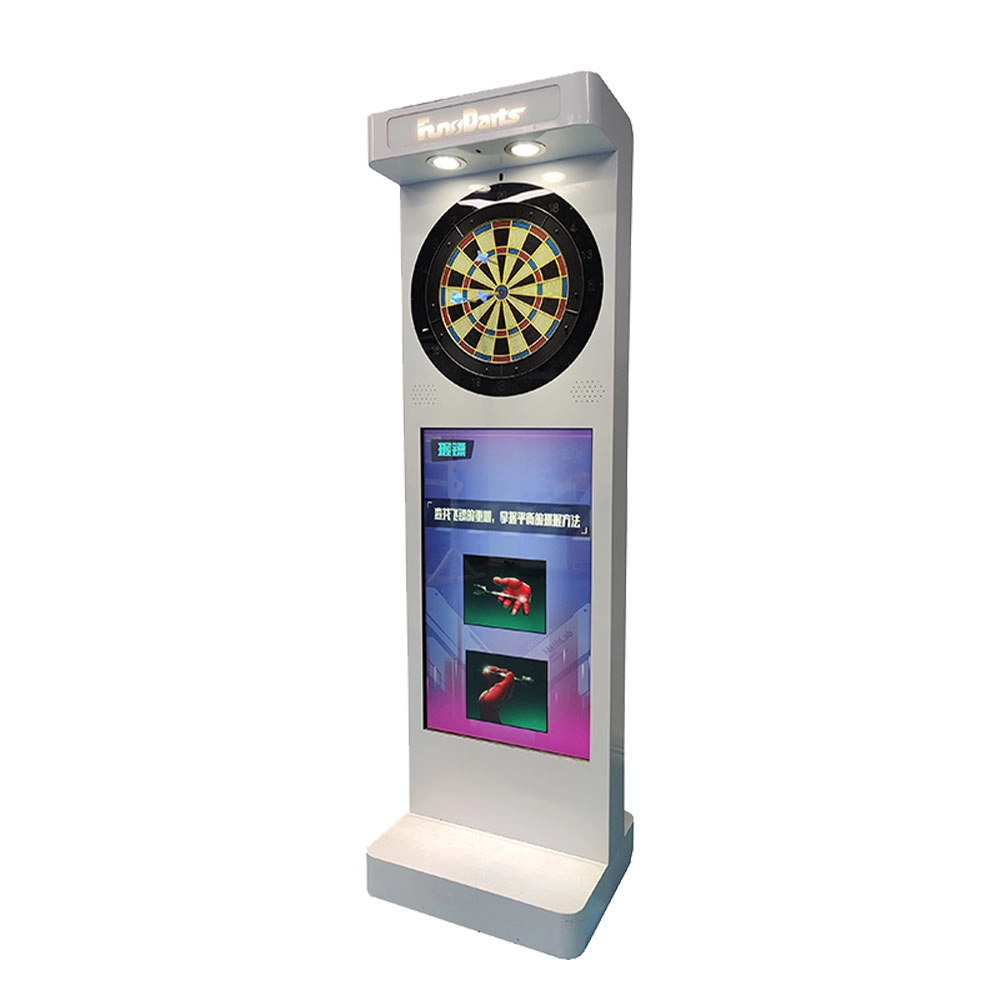
Neofuns Electronic Arcade Darts Machine S – Coin Operated Fun Dart Game with Soft Tip & Metal Tip Options, Stand-Up Electronic Dartboard for Arcade
Create private leagues for corporate unions, clubs, or friends with customizable rules (e.g., round-robin, knockout), syncing team rankings and individual contributions to boost collaboration. Branded interfaces and dartboards for company-themed tournaments.
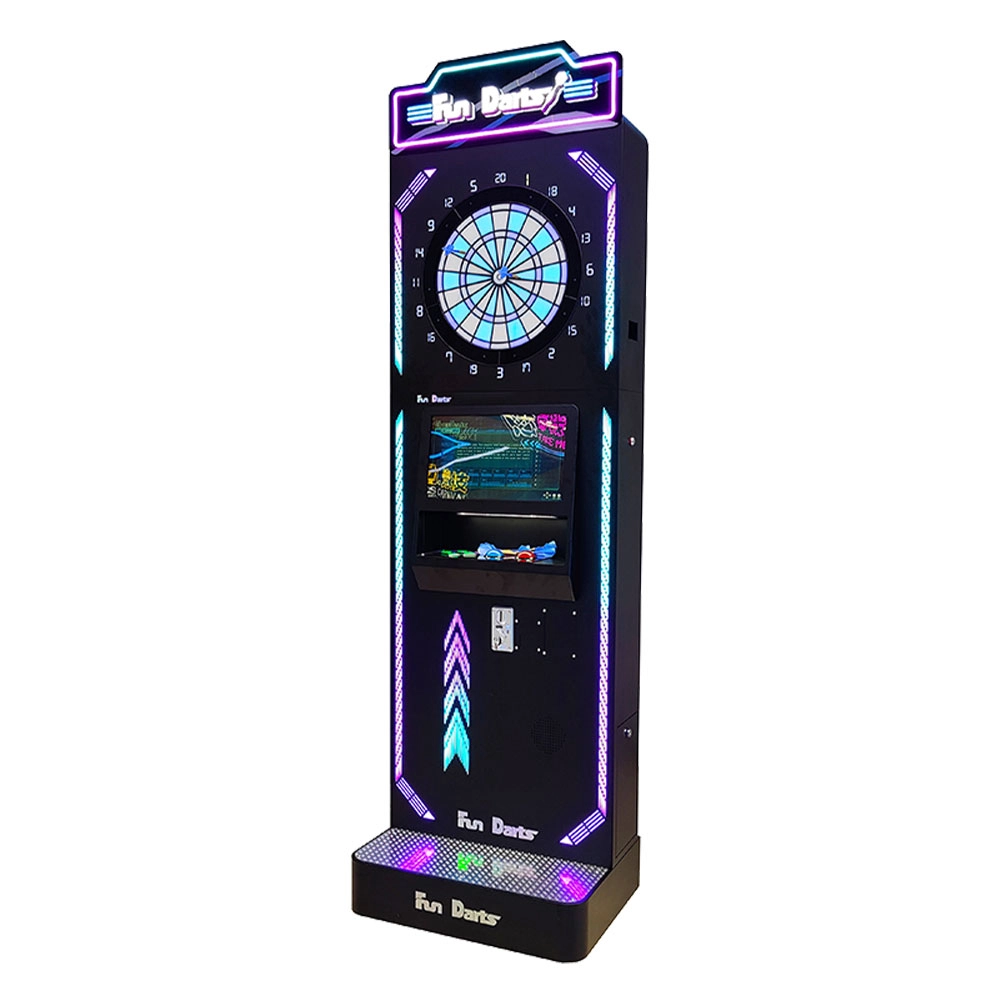
Neofuns Coin Operated Arcade Game Fun Darts Machine V –Cool Streamlined Appearance and Lighting Stand-Up Dart Machine for Arcade & Entertainment Venue
This smart dartboard seamlessly blends classic sport with cutting-edge tech,enjoy 30+ game modes and real-time multiplayer battles with dynamic animations. Professional self-healing sisal board with replaceable surfaces ensures durability for both training and entertainment.
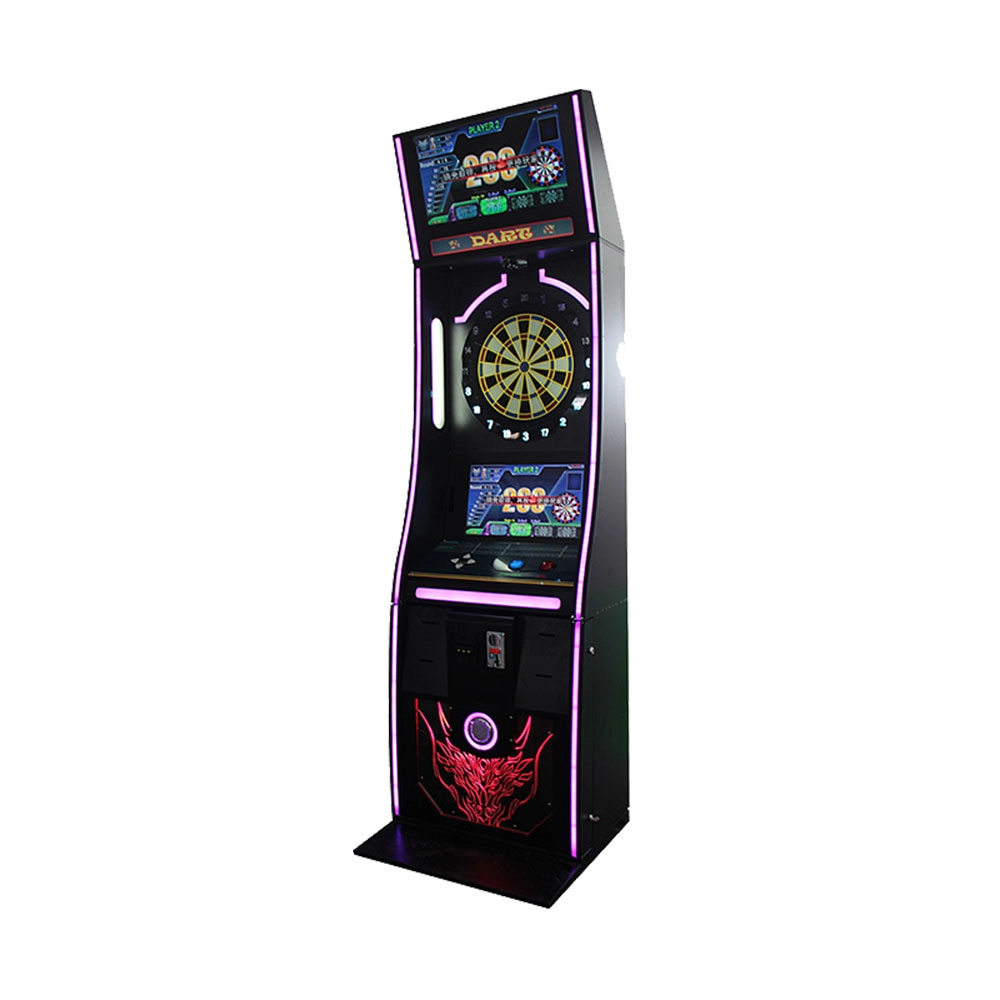
Neofuns Coin Operated Arcade Game Fun Darts Machine I – 32-inch Display on the Top Featuring Coin-operated And Arcade-style Designs
Equipped with high-precision infrared sensors, it tracks dart trajectories in real time and auto-scores, eliminating manual errors for fair competition. 30+ built-in game modes (e.g., "301 Battle, Fun Training") cater to all skill levels, supporting solo play, local multiplayer, and global online matches. Monetize via pay-per-play, sponsored tournaments, or brand partnerships (commercial); a one-time investment unlocks lifelong family entertainment.
Get in touch with us
If you have any comments or good suggestions, please leave us a message, later our professional staff will contact you as soon as possible.
Leading Electronic Dart Machine Manufacturer
NEOFUNS
NEOFUNS
NEOFUNS